

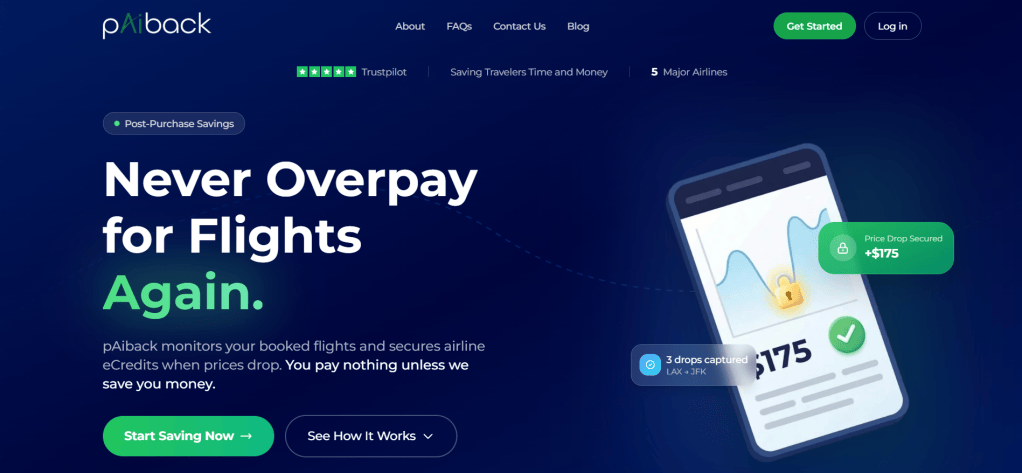
pAiback is an innovative AI-powered flight search tool designed to track airfare prices effortlessly. With advanced artificial intelligence, monitoring upcoming flights and finding the best deals has never been simpler. Instead of spending countless hours searching for flights and stressing over fluctuating prices, pAiback automates the process for you. Founded in 2023, pAiback doesn’t just search for flights based on your preferences—it intelligently handles your booking, saving you time and effort. In this blog, I’ll explain how to sign up, how it works, and its benefits and limitations, along with my illustrations (dark blue print in italics).
How do I sign up for pAiback?
Signing up is very simple; visit the pAiback.app website and create a new account using your email address and a secure password. After successfully registering and verifying your email, log in to your account. Once your account is set up, you can access all features of the service at no cost.
How pAiback Works?
After you create a new account, use the platform’s flight search engine to compare available flight options based on your preferred dates, destinations, and budget. Remember, pAiback only tracks flights after you book and email your booking confirmation.
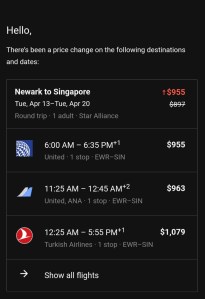
For example, my upcoming week-long solo trip to Singapore is becoming increasingly expensive, primarily due to the ongoing war in Iran, which has caused airline ticket prices to surge globally. To monitor prices closely, I use Google Flights, my preferred flight search engine, where I have set up a specific flight alert for my chosen travel dates. Every day, I check the notification emails and the Google Flights dashboard to track any price fluctuations, hoping for a drop before I book. This is what the tracked flight looks like without any AI intervention or price prediction tools.
After researching flight options, I specifically checked the airfare on United Airlines, which I prefer due to my MileagePlus membership and accumulated points. The round-trip ticket was priced at approximately $1,145, higher than I anticipated for these travel dates and destinations. I was initially shocked by the steep cost, realizing that spending this amount would not fit within my current budget. However, I decided not to book immediately and instead utilized pAiback, an AI-powered price tracking tool. This service continuously monitors price fluctuations and notifies me of any significant fare drops, enabling me to make a more informed and affordable booking decision without constantly checking manually.

Warning: Do not select the lowest price when searching for flights. The lowest fares are typically classified as basic economy, which come with significant restrictions such as limited or no carry-on baggage, no seat selection, and minimal flexibility for changes or cancellations. PAIBack does not handle bookings for basic economy tickets, so please choose a standard economy fare or higher to ensure a smoother booking experience and better travel benefits.
After comparing available options and identifying the flight that best fits your schedule, budget, and preferences, proceed to the airline’s official website to review the full fare rules. Double-check the baggage policy, seat selection options, and any additional fees before completing your booking. Finalize your reservation directly on the airline’s website to ensure accuracy and receive the most up-to-date information.
I selected my preferred flights (the 2nd option, labeled “Economy”), clicked through the booking portal, and was redirected to the airline’s official website. There, I carefully reviewed the fare details and confirmed that it was a standard economy ticket. I then paid with my United Gateway Credit Card, which offered additional travel protections and rewards. Overall, the cost was reasonable given the benefits and flexibility included.
When purchasing your ticket, always use a credit card rather than a debit card. Credit cards often provide travel-related rewards such as points or miles, as well as valuable protections like trip delay reimbursement, lost luggage coverage, and fraud protection. For maximum benefits, pay the entire amount at the time of booking rather than splitting payments. This approach can also help you manage your finances and maximize any available credit card bonuses.
If your credit card statement period runs from September 7 to 25 and the payment due date is October 6, it is best to pay your balance in full—plus any additional charges—between October 1 and 3. In my case, I purchased my flight for $1,145 plus related charges within the statement period. By paying off the entire balance before the statement closes, I kept my credit utilization below 8%, which helps maintain a strong credit score. Always aim to keep your credit utilization under 8% before the statement ends, as this can positively impact your credit history and future borrowing potential.
After you receive your flight confirmation email from the airline, locate the message in your inbox and ensure it contains your booking reference number, all passenger details, dates and times for each flight segment, and the complete itinerary. Forward the entire email, without omitting any information or attachments, to ticketing@paiback.app. This ensures pAiback can process your ticket efficiently and without delays.
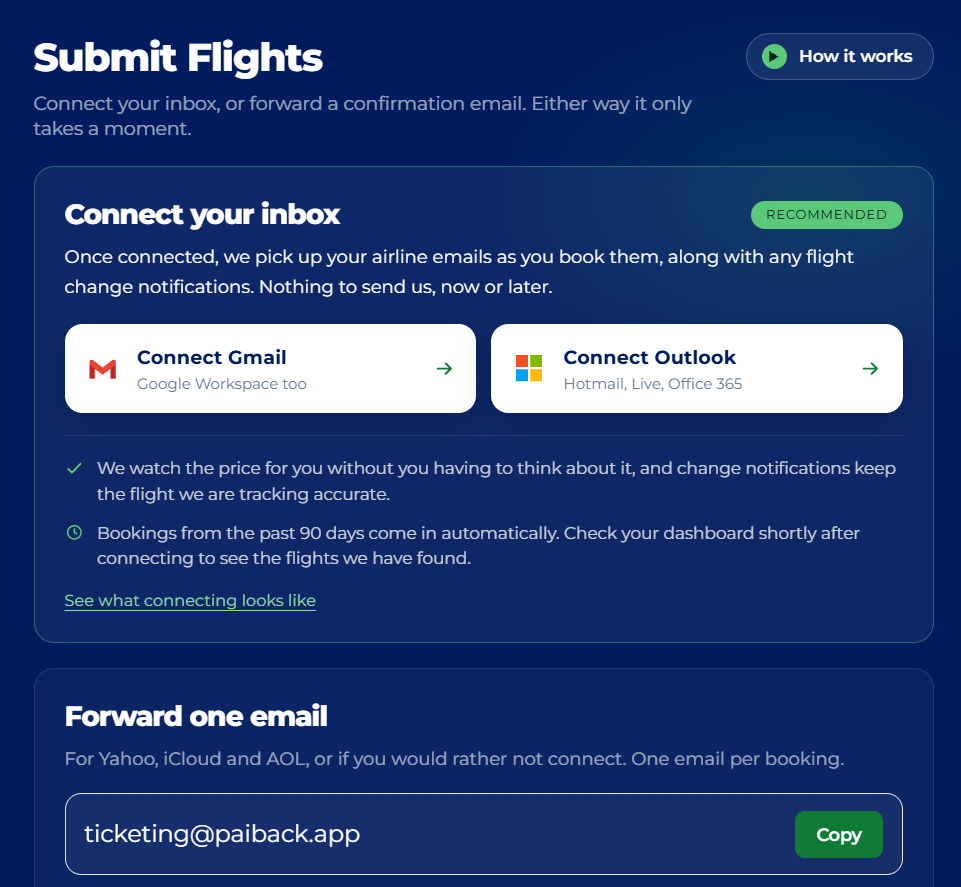
Make sure the forwarded message contains all relevant information, as incomplete details may delay processing. Here is an example:
“Hi pAiback,
I planned to book _____ from _____ to _____ on ______. My flight confirmation number is XXXXXX. Please, track this booking for me. Thank you.”
Since I already booked my flight as an illstruation, here is my another example:
Hi pAiback,
Here is my detailed flight from Newark to Singapore for April. My flight confirmation number is ******. Please, track this booking for me. Thank you.”
This email is anonymous.
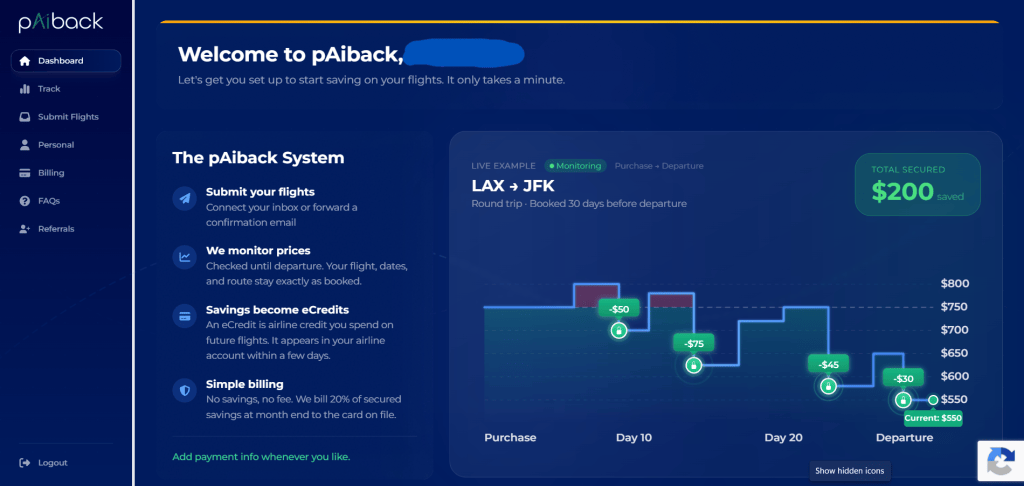
Next, simply relax and allow the AI to handle all remaining tasks on your behalf. The AI will continuously monitor for any changes in pricing and automatically provide you with proof as to whether the savings are guaranteed or not. Whenever there is a price drop, Payback will promptly send you an updated confirmation via email. In addition, you will accumulate e-credits as a reward for each successful transaction or savings event, which can be redeemed for future benefits or discounts.
What are the benefits of using pAiback?
Flight costs have been soaring since the start of the ongoing Iran War with the sky high gas prices, and they were the biggest expense in the trip budget. Thanks to AI-generated trip planning, especially with pAiback, travelers can enjoy a wide range of benefits. pAiback is particularly valuable for frequent flyers and airline loyalty members, such I am a long time member of MileagePlus. The platform leverages advanced AI to personalize flight options, making it easier to find the best routes, prices, and loyalty rewards. pAiback automates the process of searching for fare drops and better deals, saving users hours of manual research. It also seamlessly integrates with major airline loyalty programs, ensuring travelers maximize their points and receive alerts when special offers or upgrades are available. Overall, pAiback enhances the entire booking experience by providing tailored recommendations, optimizing costs, and unlocking exclusive savings and perks.
The flight I purchased was ideal for my travel needs, costing $1,145. pAiback, an AI-powered tool, continuously monitors my flights and tracks the price I paid. It analyzes multiple variables such as current airfare trends, time of day, seasonality, and frequency of the route. This comprehensive monitoring ensures that I am always informed about potential changes in airfare and can take advantage of the best possible deals.
pAiback automatically checks airfare forecasts every three hours to ensure the most up-to-date pricing data. For instance, if my original flight ticket cost $1,145 and the system detects that the same flight is now available for $1,000, pAiback will promptly notify me via email. The notification includes a breakdown of the $145 price difference, which is provided to me as an airline e-credit. In addition, pAiback calculates a 20% commission, amounting to $29 in this example ($145 x 20%), which is deducted from the total savings. By automating this process, pAiback saves both time and money, making it especially valuable during the planning phase of my “I-Powers Travel” cycle, when managing multiple itineraries and fluctuating prices can be the most complex and time-consuming aspect of travel preparation.
In conclusion, once my credit card balance has been paid in full, my rewards are recalculated to reflect the most recent transactions. By using my United Gateway Card to purchase the flight, I maximize my earnings through the MileagePlus program. Specifically, as a MileagePlus Member, I earn 3 miles for every dollar spent on United flights, and an additional 3 miles per dollar when using the United Gateway Card for payment. Therefore, for a $1,000 flight, I would receive a total of 6,000 miles (3,000 miles as a member, plus 3,000 miles for using the card), making it an efficient way to accumulate travel rewards and reduce costs on future trips.
Remember to include your credit card information when forwarding your flight details to the designated email address. This step is essential to ensure that the reward miles are correctly credited to your MileagePlus account and that your purchase is eligible for all applicable benefits and tracking by pAiback.
Note that pAiback currently only tracks flight reservations on Alaska, American, Delta, Hawaiian, and United Airlines. More international airlines will be tracking soon so stay tuned.
Restrictions
pAiback does not track flights booked through third-party sites such as Google Flights, Expedia, Kayak, Priceline, Chase Travel, or any online travel agencies. To ensure your flight is eligible for tracking, you must book directly on the airline’s official website and pay in the local currency associated with that airline. pAiback cannot track flights with most low-cost carriers, including but not limited to Sun Country, JetBlue, Allegiant, and Frontier. Additionally, pAiback does not track Basic Economy fares, award tickets, or tickets booked with points or miles, as these fare types are excluded due to their restrictions and ineligibility for most compensation policies.
Conclusion
In sum, pAiback helped me save both time and money by making it easier to find the best available deals on flights and accommodations. Since I prioritize frugal travel—especially during a time when inflation has outpaced the stagnant $7.25 national minimum wage—pAiback’s tools and alerts have been invaluable for maximizing my limited budget. For example, pAiback automatically tracked price drops on my preferred flights after booking directly through the airline, notifying me when I was eligible for a refund or credit due to fare reductions. This allowed me to rebook at a lower price and immediately save money that I could allocate elsewhere on my trip. By consistently using pAiback for my travel planning, I was able to save nearly $2,500 in my vacation fund while only spending $1,300 on an entire trip, covering airfare, lodging, and daily expenses. The platform’s ability to monitor price changes, exclude restrictive Basic Economy fares, and focus on direct airline bookings has made budget travel more attainable and stress-free for me.


